Tools · secMailing
Newsletter sending from your domain.
The mailing comes from your address, with your imprint and one‑click unsubscribe. Afterwards you see which addresses could not be reached and why.
From €50 per mailing, template included, net
Members’ mailing, autumn 2026
Sample Association
Invitation to the general meeting
Dear members, we will meet on 21 November at 6pm at Anytown community centre. You will find the agenda via the link.
View the agendaSample Association, 1 Sample Street, 12345 Anytown. You receive this mailing as a member. Unsubscribe
Before sending
Two ways to send.
With approval
We send it for you
You send us the text and the recipient list. We build the email in your template and send you a link for approval. The mailing only goes out once you have approved it.
If you prefer, with your own login
You send it yourself
Choose a template, upload the recipient list, send. You sign in with your Connecteeva identity. The recipient list is checked before sending.

Approval via a link, without an account
The approver sees the finished email and decides with one click. Name and comment are recorded with the decision, and a rejection needs a note. The link can only be used once.
In every email
From your domain, without tracking pixels.
Your sender domain
The email comes from your domain, with your imprint in the footer. We send you the DNS records it needs and check them with you.
SPFDKIMDMARC
One-click unsubscribe
The link is in the footer, and many email programs also show their own button.
RFC 8058
No tracking pixels
Opens and clicks are not recorded. Links are not rewritten.
secMailing runs on our servers in Germany. Sending goes through a provider certified by the Certified Senders Alliance (CSA). We conclude a data processing agreement with you for the recipient list. You set how long it is kept.
After sending
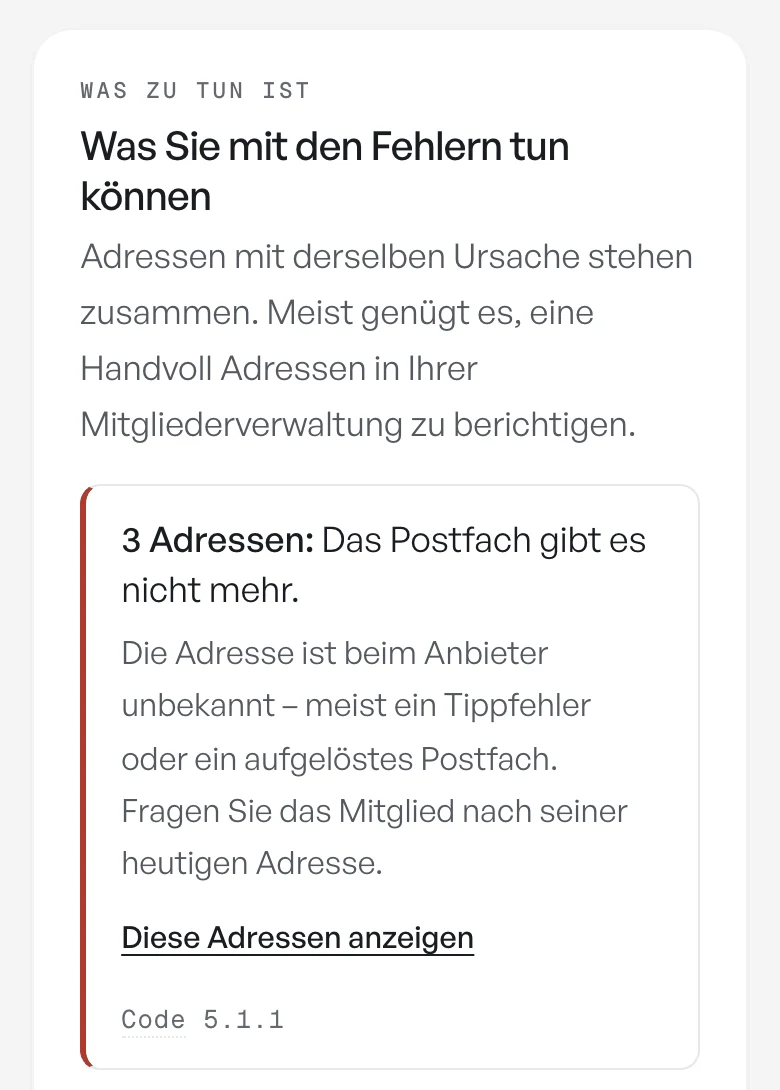
The recipient report.

Sorted by cause
Undeliverable addresses are grouped by cause. For each cause, the report says what to correct in your membership database.
Suppression list
Unsubscribes and permanent bounces go on the suppression list and are not mailed again.
In the customer portal
You see the report in the customer portal, signed in with your Connecteeva identity. Each person only sees the mailings of their own organisation.
Guide: member mailings from your own domainGuide: delivery rate and bounces
Your next mailing.
Tell us how many recipients you write to and how often. We suggest whether we send or you do, and set up the sender domain with you.
The price depends on volume. You book secMailing for your organisation or part of it, even without the Connecteeva platform. We usually reply within one working day.
Prefer to reach us directly? Send an email · call +49 30 994048000
Königsweg 220
14129 Berlin, Germany
secReport shows what the member magazine achieved in each unit. For the day-to-day mail in your mailboxes there is secMail, and secMonitor alerts you if your own mail server is on a blocklist.